Core capabilities with an optional paid add-on
Readiness Management
Readiness for apparatus, equipment, stations and field teams. Turn recurring readiness checks into accountable maintenance work without losing the connection to the unit, asset, station or person that needs attention.
Core capabilities with an optional paid add-on
Checklists are included as a core capability. Preventive maintenance and work orders are available with the optional Readiness Pro add-on.
What this capability delivers
Designed around the real operational work already managed in Resgrid.
Operational checklists
Build reusable daily, weekly, monthly and event-driven checks for apparatus, stations, equipment, crews and safety processes, with evidence and completion history.
Defect-to-work-order flow
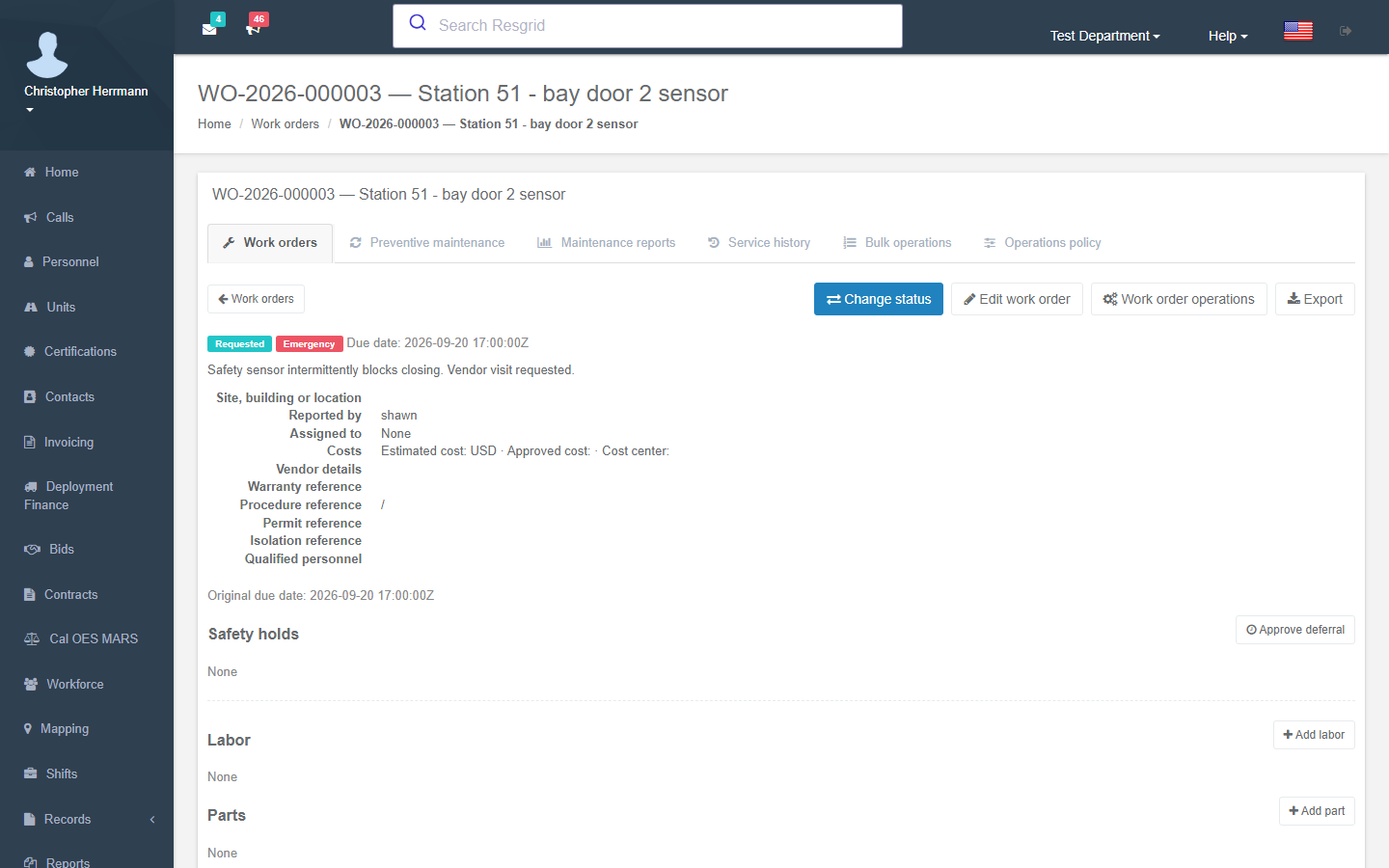
Turn a failed check or field request into an assigned work order with priority, status, comments, files and a complete activity trail.
Preventive maintenance
Schedule recurring service by date, mileage, hours or department policy and surface upcoming work before readiness is affected.
Parts, labor and asset history
Record parts, labor, vendors and downtime against the real Resgrid Unit or Inventory asset so every repair follows the equipment.
How work moves through Resgrid
From the first operational fact to a complete, auditable outcome.
Define the standard once
An administrator builds a reusable, versioned checklist for a rig, station, crew, safety process, or serialized asset. Sections can mix pass/fail, quantity, numeric reading, photo, signature, date, selection, and free-text items.
Schedule the readiness obligation
Attach the definition to a department, group, Unit, person, or asset and schedule it on demand, per shift, daily, weekly, monthly, quarterly, semiannually, or annually. Due work appears in Calendar and can alert the responsible crew.
Complete it where the work happens
Personnel complete Unit checks in the Unit app and personal or shift checks in Responder. In-progress answers and photos can be captured in a bounded offline flow and synchronized without duplicate completions.
Turn a failed item into accountable work
A configured failure can require a note or photo, open a prioritized work order, notify the responsible role, and place an affected Unit out of service. The original answer remains linked to the repair.
Close the repair and preserve the evidence
Technicians record status, labor, parts, vendors, attachments, downtime, and completion. The finished work follows the Unit or asset and becomes searchable readiness evidence for audits, claims, and RMS records.
Technical and operational depth
Designed around lifecycle, authority, evidence and failure modes—not only screens.
Versioned checklists built for operational evidence
A readiness check is more than a submitted form. Definitions are versioned so an old completion always renders against the exact questions and rules active when the work was performed. Scheduled occurrences preserve what was due, completed, missed, or skipped.
- Target a department, group, Unit, person, station process, or serialized Inventory asset
- Use required answers, ranges, scoring, conditional notes, photos, signatures, and failure behavior
- Generate stable occurrences ahead of time for alerts, offline work, and missed-check reporting
- Surface due checks as a non-editable Calendar layer without duplicating calendar records
- Retain completion, answer, file, location, author, definition version, and timestamp history
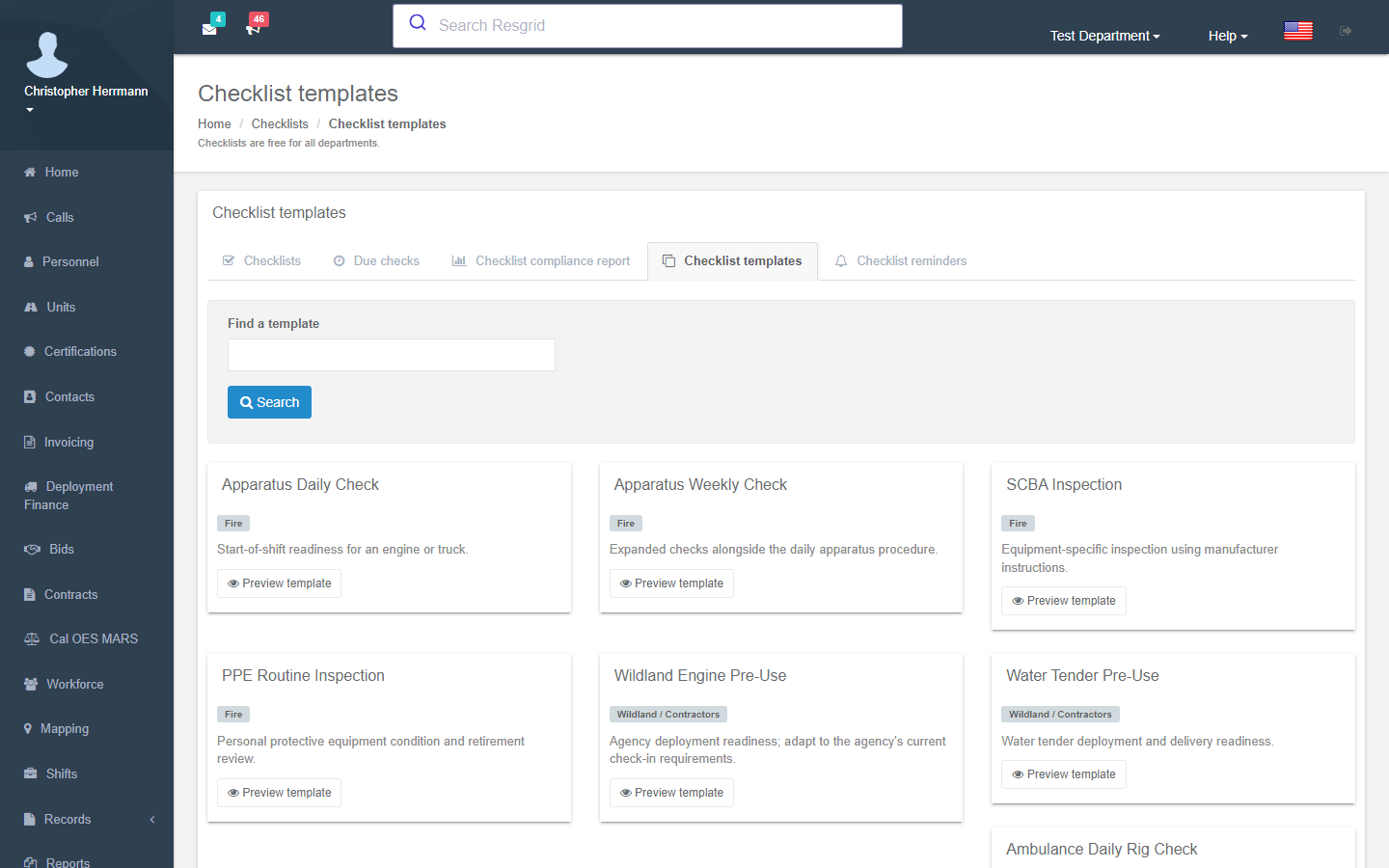
A complete defect-to-work-order lifecycle
Failed checks and field requests enter the same controlled queue. Supervisors can triage, prioritize, assign, hold, wait for parts, complete, close, or cancel work while every activity and the originating defect remain attached.
- Human-readable work numbers and submitted, triaged, assigned, in-progress, on-hold, waiting-parts, completed, and closed states
- Assignment to personnel or roles such as mechanics and facilities staff
- Comments, attachments, status changes, parts, labor, vendor references, and system activity
- Optional automatic Unit out-of-service action for safety-critical failures
- Separate permissions for viewing, managing, completing, and reporting maintenance work
Preventive maintenance tied to the actual equipment
Preventive work can be scheduled by date, mileage, engine hours, or department policy. Instead of maintaining a second asset list inside a CMMS, the work references the Resgrid Unit or Inventory asset already used by dispatch, crews, deployments, and records.
- Service history follows a Unit or serialized asset through location and custody changes
- Inventory parts use ledger transactions, with free-text fallback when Inventory is not enabled
- Track downtime, labor, vendor, parts, repair cost, recurring failure, and mean-time-to-repair inputs
- Upcoming and overdue preventive work contributes to command-level readiness reporting
- RMS consumes finalized completion and repair evidence without owning maintenance
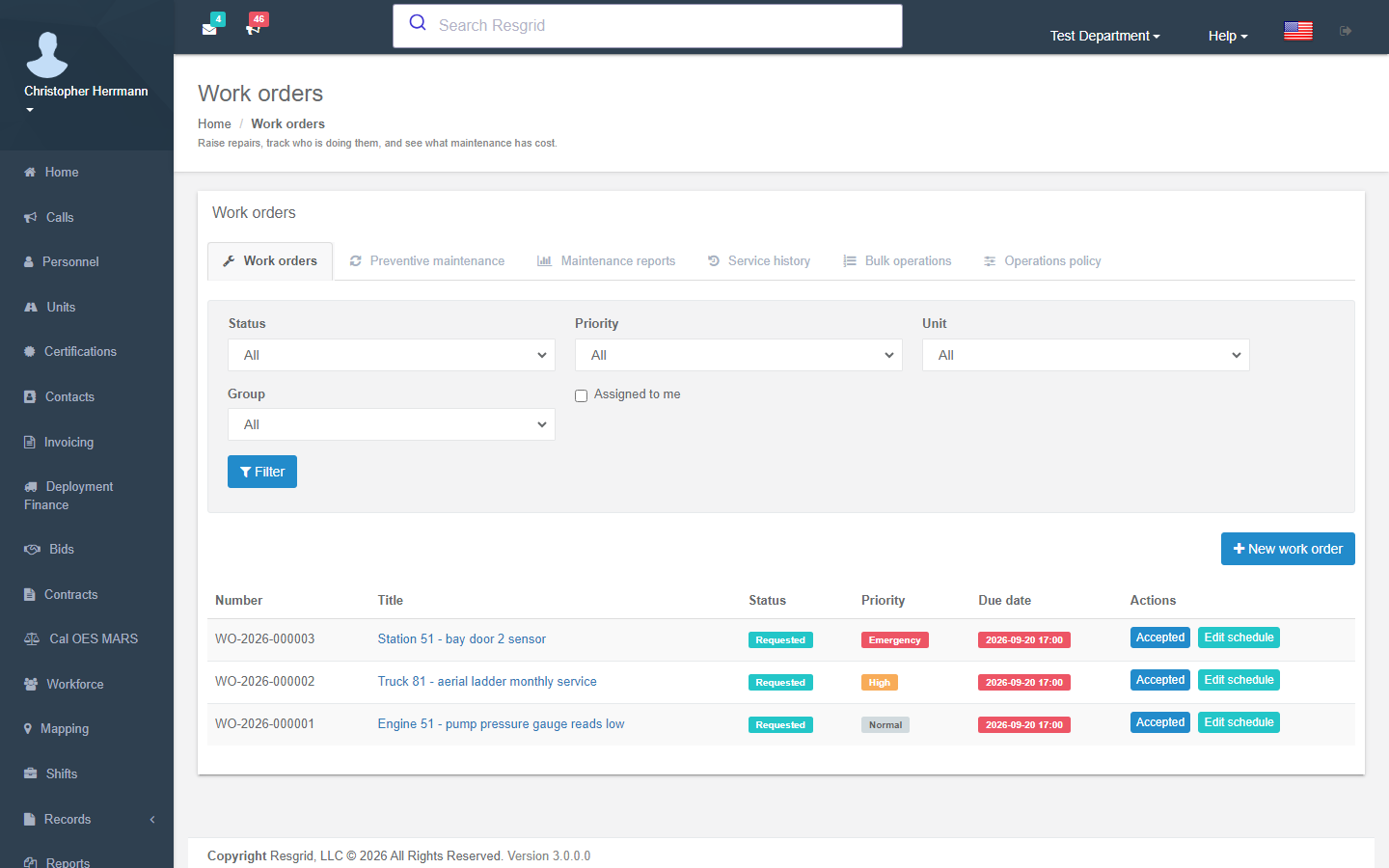
One connected operating picture instead of another data silo
Other options
Paper forms and standalone checklist apps record that something failed, while a separate CMMS tracks the repair. Staff re-enter the asset, location, requester and result, and command staff still lack a single readiness view.
The Resgrid approach
Resgrid carries the same unit, asset, station, crew and checklist result directly into maintenance. A defect becomes work, the responsible people are notified, and the completed repair updates the same operational record.
What this can replace or consolidate
Reduce separate systems without hiding where specialist tools still belong.
Paper rig-check and station-inspection binders
Replace unsigned sheets, missing pages, and manual month-end filing with scheduled, attributable completions and retained evidence.
Standalone checklist and inspection apps
Remove the handoff between a failed inspection and the separate tool that owns the vehicle, asset, crew, or repair.
Shared maintenance spreadsheets and email inboxes
Give every request an owner, priority, lifecycle, activity trail, and connection to the affected resource.
Light-duty CMMS products
Departments that do not need a separate enterprise maintenance suite can keep readiness, parts, work, and asset history inside Resgrid.
Built into the Resgrid system
The feature connects with Units and unit status, Inventory assets and parts, Personnel and shifts, Calendar reminders, Workflows, Records/RMS evidence and Dispatch. Incident Back Office logistics is coming soon.
Unit App
Responder
Inventory
Personnel & Shifts
Calendar
Dispatch & IC
Records / RMS
Workflows
Important scope and system boundaries
Clear limits prevent another vague all-in-one promise.
Checklist completion and repair authorization stay distinct
A failed check can create accountable work and change readiness, but only authorized maintenance roles can diagnose, approve, complete, or return equipment to service.
Automation never erases the original inspection
Escalation, work orders, notes, parts, and repair outcomes append to the operational history; they do not rewrite the answer or evidence that triggered the work.
This is operational maintenance, not fleet accounting
The feature covers readiness, service, parts, labor, vendors, downtime, and repair cost—not fuel-tax filing, depreciation accounting, telematics diagnostics, or manufacturer service networks.
Less duplicate work, more time and budget back
Departments can replace paper inspection binders, shared spreadsheets and disconnected maintenance tools while reducing duplicate entry, missed preventive work, avoidable downtime and time spent assembling audit history.